
What Your Business Gets from Email Security
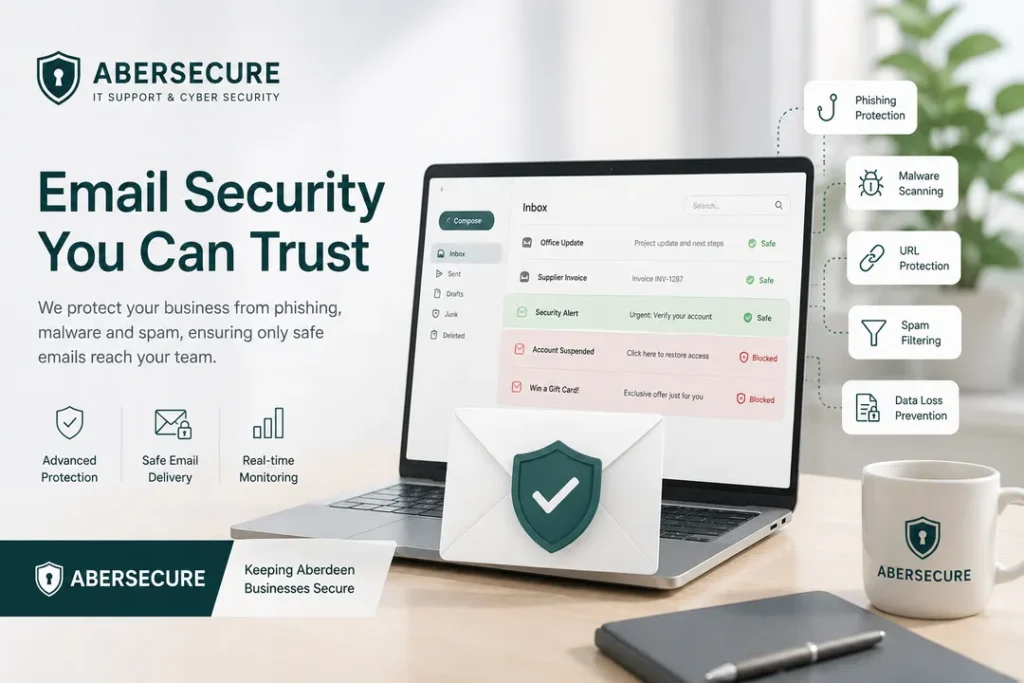
Email security gives your organisation a stronger protection layer around one of the most active routes into the business. It reduces the chance of staff receiving dangerous messages, clicking unsafe links, opening harmful attachments, or trusting fraudulent requests.
The service is designed to protect business communication, reduce avoidable security incidents, and support safer use of Microsoft 365 email across the organisation.
- Fewer phishing emails reaching staff through stronger filtering and threat detection.
- Reduced account compromise risk by lowering exposure to fake login pages and credential theft attempts.
- Better protection for finance and leadership teams against impersonation, invoice fraud, and supplier-style attacks.
- Safer handling of links and attachments before users interact with potentially harmful content.
- Improved visibility and control through quarantine review, policy tuning, and reporting.
For businesses reviewing Cyber Security Aberdeen services, email protection is one of the most practical controls to include because it protects the communication channel your staff use every day.
Why Business Owners Should Care About Email Protection
Email attacks can affect far more than the IT department. A single successful phishing email can lead to stolen passwords, unauthorised mailbox access, invoice fraud, client data exposure, or disruption across the business.
For directors and business owners, the concern is not only technical compromise. The wider risk includes financial loss, reputational damage, operational downtime, supplier confusion, and staff being placed under pressure by convincing fraudulent messages.
Email security helps reduce that exposure by adding a managed protection layer between incoming threats and your users. It gives the business a stronger defence without expecting every member of staff to identify every suspicious message manually.
The Business Risks This Service Reduces
Email security focuses on the risks that commonly lead to real business disruption. These threats are often designed to look routine, urgent, or familiar, which makes them difficult for staff to judge consistently.
- Phishing attacks that attempt to steal passwords or direct users to fake sign-in pages.
- Malicious links that send users to unsafe websites, credential capture pages, or harmful downloads.
- Unsafe attachments that may contain malware, scripts, or harmful files.
- Impersonation attempts where attackers pretend to be directors, suppliers, finance contacts, or trusted clients.
- Business email compromise linked to invoice fraud, payment redirection, supplier fraud, or mailbox misuse.
- Suspicious sender behaviour including spoofing, lookalike domains, display-name misuse, and unusual message patterns.
This protection becomes stronger when combined with Endpoint Protection, because email and device security work together to reduce the chance of a successful compromise.
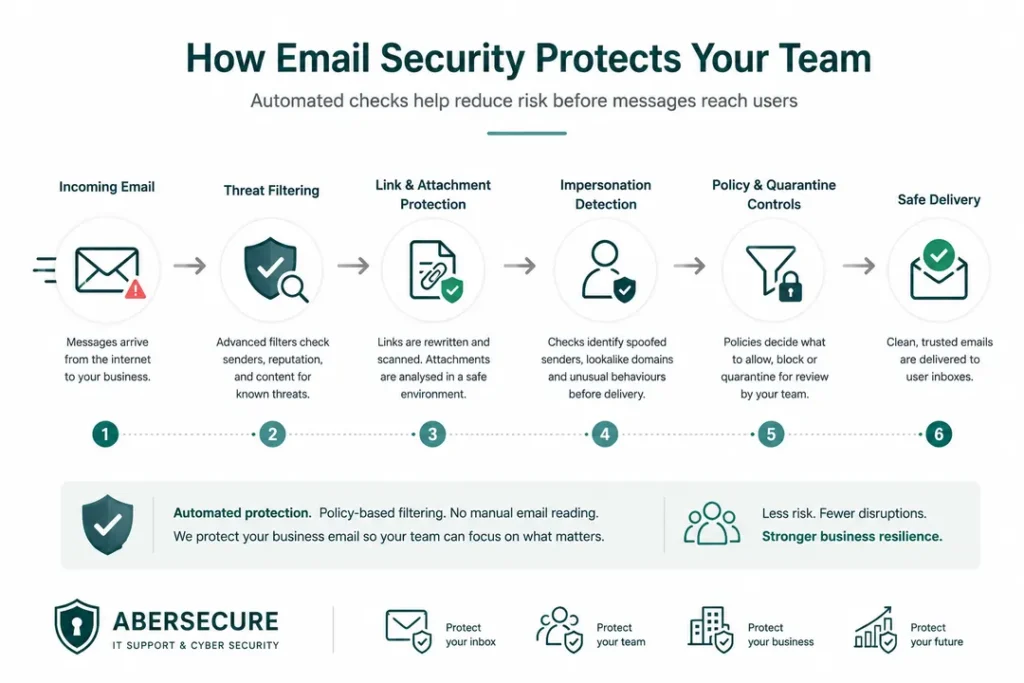
How Email Security Protects Your Team
The service is designed to reduce risk before users are exposed to dangerous content. Instead of relying only on staff judgement, email security applies protective checks across messages, links, attachments, senders, and suspicious behaviour.
- Message inspection checks inbound email for signs of phishing, malware, spam, spoofing, and unsafe behaviour.
- Link protection helps reduce exposure to fake login pages, unsafe websites, and malicious redirects.
- Attachment protection helps control harmful files before they reach users or devices.
- Impersonation detection helps identify suspicious messages that pretend to come from trusted people or organisations.
- Quarantine handling allows suspicious messages to be reviewed and controlled without unnecessary disruption.
- Policy tuning helps balance protection with legitimate business communication.
The result is a safer inbox, fewer avoidable risks, and better control over one of the most common entry points into the business.
A Practical Service for Microsoft 365 Email
Many businesses rely on Microsoft 365 for email, file sharing, identity, and collaboration. That makes mailbox protection a core part of the wider security environment.
Abersecure helps strengthen Microsoft 365 email use by applying practical protection around inbound threats, malicious links, unsafe attachments, impersonation, and account compromise risk.
This helps your organisation protect the platform staff use every day, while keeping email available and usable for normal business communication.
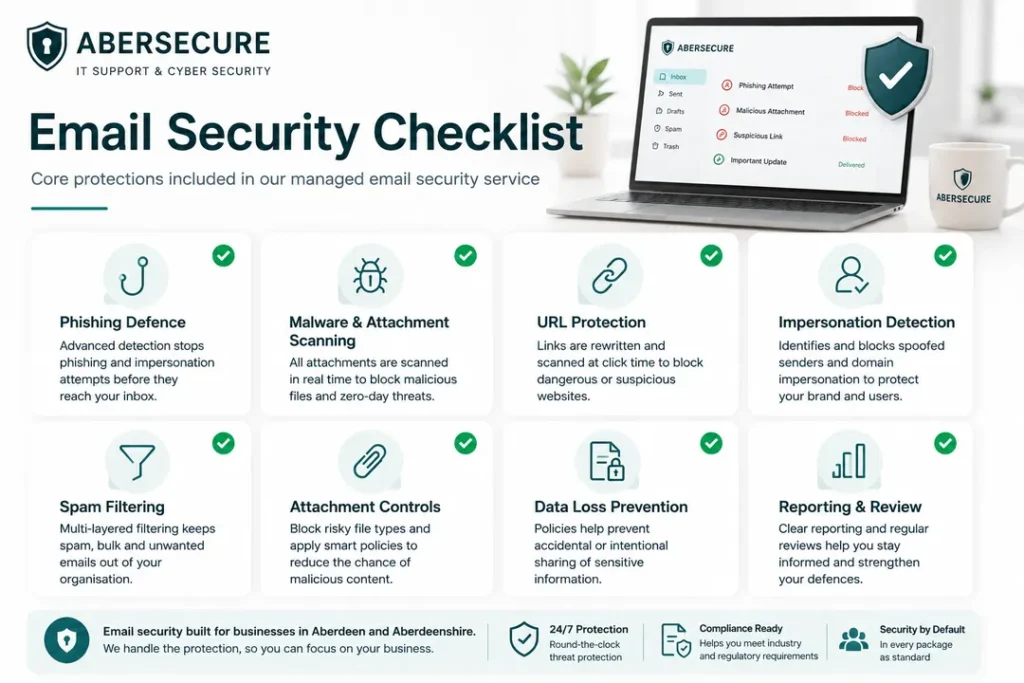
What Is Included in the Email Security Service
Email security should be clear, practical, and aligned to business risk. The service is designed to improve protection without adding unnecessary complexity for users or interrupting legitimate communication.
- Inbound threat filtering to reduce phishing, spam, malware, and high-risk email.
- Malicious link protection to reduce exposure to unsafe websites and fake login pages.
- Attachment protection to control suspicious or harmful files.
- Impersonation protection to identify suspicious sender behaviour and lookalike activity.
- Quarantine management to review suspicious messages and reduce unnecessary disruption.
- Policy configuration to align protection with business requirements.
- Reporting and review to support visibility and ongoing improvement.
- Microsoft 365 alignment to support safer mail flow and mailbox protection.
These capabilities support the wider Cyber Security Services structure by strengthening protection across one of the most exposed business systems.
Designed to Support Better Business Decisions
Email security is not only about blocking threats. It also gives business leaders better confidence that key communication channels are being controlled, reviewed, and improved over time.
When suspicious messages are filtered, quarantined, or reported, the business can make better decisions about risk, user behaviour, supplier communication, and future security improvements.
This is especially important for organisations where email is used for approvals, invoices, client instructions, sensitive documents, or supplier requests.
Email Security Inside a Managed Package
Email security is most effective when it is not treated as a separate standalone tool. It should sit inside a wider support and cyber security package where email, users, devices, Microsoft 365, and response processes are managed together.
For business owners, this means fewer separate systems to manage and clearer responsibility for protection. Email security becomes part of the wider service model rather than another disconnected product.
You can compare available coverage on the IT support and cyber security packages page.
How Email Security Strengthens Your Wider IT Support
Email is connected to almost every part of business operations. Staff use it to communicate with clients, approve work, share files, reset passwords, confirm payments, and coordinate suppliers.
When email protection is stronger, the wider IT environment becomes more resilient. Users are exposed to fewer threats, devices are less likely to encounter harmful files, and the business has better control over a common route into systems and accounts.
This supports the wider IT Support Aberdeen structure by improving day-to-day reliability, reducing security-related disruption, and protecting the systems staff depend on to work effectively.
Who This Service Is Best For
Email security is suitable for organisations that depend on email for daily business activity and want stronger protection without making communication difficult for staff.
- Businesses using Microsoft 365 email.
- Organisations receiving invoices, supplier requests, attachments, or client documents.
- Finance teams exposed to payment redirection or supplier impersonation attempts.
- Directors and senior staff who may be targeted by impersonation attacks.
- Businesses handling sensitive client, employee, or financial information.
- Organisations that want stronger cyber security included within a managed service package.
The service is especially useful where email is central to business decisions, approvals, finance workflows, and client communication.