

IT documentation standards are the agreed rules for what your business records about its systems, how those records are written and formatted, who can see them and how often they are checked. For a small or medium-sized business, a workable standard is short: a defined list of document types, a consistent template for each, a named owner and a review routine. This guide sets out what to include, how to write standard operating procedures for IT, what a network documentation checklist should hold and how to stop it all going stale.
What IT documentation standards are and why they matter
IEEE describes documentation standards as rules covering the content, structure, format and lifecycle management of technical documents. The aim is that documents are complete, consistent and useful, and that the people who maintain them later can still interpret them.
That last point is where most small businesses feel the pain. When the one person who knows how the firewall, the backups or the Microsoft 365 tenant was set up leaves or is unavailable, the knowledge goes with them. US regulators’ guidance on documentation notes that thorough records reduce resilience risks such as losing institutional knowledge when staff turn over. The principle applies equally to a ten-person office in Aberdeen.
There is also a proportionality point. ISO’s guidance on ISO 9001 says an organisation should keep documented information as necessary to support its processes, and the extent should be proportionate to the organisation and its processes. You are not being asked to produce a library. You are being asked to write down enough that work can be repeated and checked.
What your IT documentation standards should cover
A sensible standard names the document types you keep and what each must contain. For most SMEs, the core set looks like this:
- Asset and device inventory. What you own, who uses it, its operating system and its support status.
- Network records. Diagrams, IP addressing, firewall rules and connectivity (covered in detail below).
- Policies. Patching, device management, passwords, acceptable use and backup.
- Procedures. Step-by-step instructions for recurring tasks such as onboarding, leavers and restores.
- Records and logs. Evidence that the procedures were actually carried out.
- Incident records. What happened, when, and what was decided.
ISO’s guidance draws the same line between the first kinds and the last: procedures, work instructions, specifications, process maps and forms support effective operation, while records provide evidence that controls were performed. Keep that distinction in your standard, because auditors, insurers and customers usually ask for the evidence, not just the instruction.
The UK Information Commissioner’s Office is specific about security: it advises documenting network security management in a policy and documenting firewall rules. If you handle personal data, that is a minimum, not an extra.
For each document type, set four things in the standard itself: a template, an owner, a storage location and a review interval. Our guides on a patch management policy and a device management policy show what a finished policy in this style can contain.
Writing standard operating procedures for IT
A standard operating procedure (SOP) turns a task that lives in someone’s head into steps anyone competent can follow. Good candidates are the jobs that are repeated, risky or done under pressure: starting a new employee, removing a leaver’s access, restoring a file from backup, applying updates and responding to a suspected phishing email.
A consistent SOP template keeps them readable. A practical layout:
- Purpose and scope: what the procedure achieves and which systems it covers.
- Owner and version: who maintains it, the date of the last review and a version number.
- Prerequisites: access, tools and approvals needed before starting.
- Numbered steps: one action per step, with the expected result where it is not obvious.
- Rollback or exceptions: what to do if a step fails.
- Record: where the evidence of completion is logged.
The UK Government’s 2023 Industry Security Notice on patching is a useful model of how thorough an SOP can be. It says patch-management procedures should cover maintenance windows, notification channels, trusted patch sources, testing, rollback, recording in a configuration database and lessons learned. That notice is written for a defence supply-chain setting, so a ten-person firm will scale it down, but the headings are a good checklist for your own patching SOP.
Two habits make SOPs work. First, have someone who did not write the procedure follow it on a test device or account; gaps show up immediately. Second, write for the least experienced person who might need it at 7pm on a Friday, not for the person who already knows the answer.
When a procedure changes how systems behave for staff or customers, announce it clearly. Well-structured release notes templates show how to present changes so readers see what is different and why.
A network documentation checklist
Network records are the part of IT documentation standards that hurts most when missing, because every fault and every security review starts with “what is connected to what?” A TechTarget guide to network documentation lists the items to cover: high- and low-level designs, as-built records, device inventory, IP schema and address management, physical and logical topology diagrams, methods of procedure, network security policy, and firmware and software. Turned into a working checklist:
| Item | What to record |
|---|---|
| Device inventory | Make, model, serial number, location, owner, support status |
| IP schema | Subnets, VLANs, static assignments, DHCP ranges |
| Topology diagrams | Physical layout and logical (VLAN, routing) views |
| Firewall rules | Each rule, its purpose and who approved it |
| Firmware and software | Current versions and update history |
| Methods of procedure | Step-by-step guides for changes and restores |
| Security policy | Access, remote working and monitoring rules |
| External connections | Internet links, VPNs and third-party access |
If you have had cabling installed, ask the installer for proper handover paperwork. The cabling industry body COFNII says handover documentation should identify what was installed, where, how it was labelled and tested, with as-built drawings, cable and fibre schedules and test results. Filing that with your network records saves a great deal of guesswork at the next office move.
Document third parties too. For operational technology, the NCSC advises organisations to maintain a definitive record, document system connectivity and understand third-party risks. Offshore and energy-sector suppliers around Aberdeen often work with such environments, and the same habit applies to any supplier with access to your systems.
Keeping documentation accurate, secure and useful
Documentation that is out of date is worse than none, because people trust it. Three controls keep it honest.
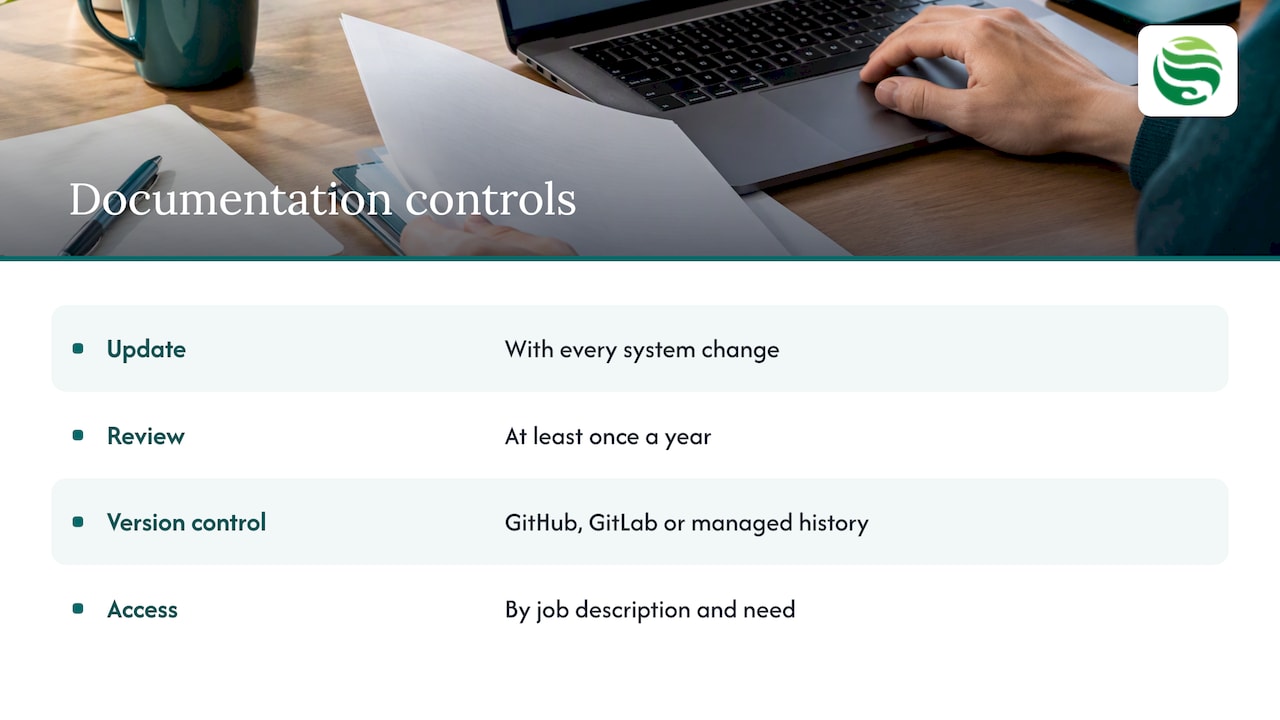
Update with every change. US regulatory guidance says documentation should be updated as systems and components are updated, with build and configuration instructions kept current. The simplest way to achieve this is to make the documentation update a required final step of your change process. Our guide to IT change management covers how to build that in.
Review on a schedule. TechTarget suggests reviewing network maintenance, compliance and security policy documents at least once a year. A review should test the document, not just change its date. One practitioner view is that validating by carrying out the task or discovering the live configuration proves accuracy in a way a date stamp cannot.
Use version control. Network teams can use Git with platforms such as GitHub or GitLab to track who changed what. Smaller firms can achieve the same with a managed document library that keeps version history.
Restrict access. Documents containing IP addresses, server names and security controls are useful to an attacker. The same US guidance says access to such material should be restricted according to job description and need. Store passwords in a password manager, never in a shared spreadsheet, and see our SME password policy for what to put in writing.
Incident records deserve their own template
The NCSC says incident records should be central and authoritative, noting what was discovered, when, the decisions taken, who took them and why, and the status of agreed actions. It adds that such records may support regulators and insurers. Its recovery advice also warns that incomplete or outdated records of systems and configurations make recovery harder. Prepare the template before you need it, and pair it with a documented IT risk assessment so you know which systems matter most.
Where Abersecure can help
Many SMEs agree with all of this and still lack the time to write and maintain it. If you would rather not carry that load in-house, our Managed IT Support service gives Aberdeen and Aberdeenshire businesses a single team responsible for day-to-day support, with Security by Default as our standard practice. If you want a named lead without hiring, our Outsourced IT Manager service is designed for that role. To discuss how documentation would fit your situation, see our packages or get in touch through abersecure.co.uk.
Getting started: a one-month plan
You do not need to document everything at once. Work in this order:
- Week one: list your systems and build the device inventory.
- Week two: draw the network diagram and record IP addressing and firewall rules.
- Week three: write SOPs for the three riskiest recurring tasks, usually leavers, backup restores and patching.
- Week four: set owners, storage and review dates, and write them into a one-page IT documentation standards policy.
Then diarise the annual review and tie updates to your change process.
FAQ
What is the difference between IT documentation standards and an IT policy?
A policy states what your business requires, such as how quickly critical patches must be applied. Documentation standards state how you record and maintain information, including templates, ownership and review. Most firms need both, and the standards keep the policies findable and current.
Do small businesses need formal IT documentation standards?
Yes, but proportionate ones. ISO’s guidance says the amount of documented information should suit the size and processes of the organisation. A short, consistent set of templates with named owners is enough for most SMEs.
How often should IT documentation be reviewed?
Review at least once a year, and update the relevant document whenever the system changes. Network maintenance, compliance and security policy documents are commonly reviewed annually. Test that the document matches reality rather than only changing the date.
Where should IT documentation be stored?
Keep it in a central, access-controlled location with version history, separate from the systems it describes so it is available during an outage. Limit sensitive material such as IP addresses and security settings to the people who need it, and keep an offline or separately hosted copy of key recovery procedures.