Device lifecycle management is the end-to-end process that secures, maintains and retires corporate devices to reduce cost, manage risk and meet legal obligations. Done properly, it lowers total cost of ownership, strengthens security posture and keeps operations predictable. It also underpins compliance with frameworks from the Information Commissioner’s Office (ICO), the National Cyber Security Centre (NCSC) and the Waste Electrical and Electronic Equipment (WEEE) regulations, all of which we reference throughout this guide.
The five stages of the device lifecycle
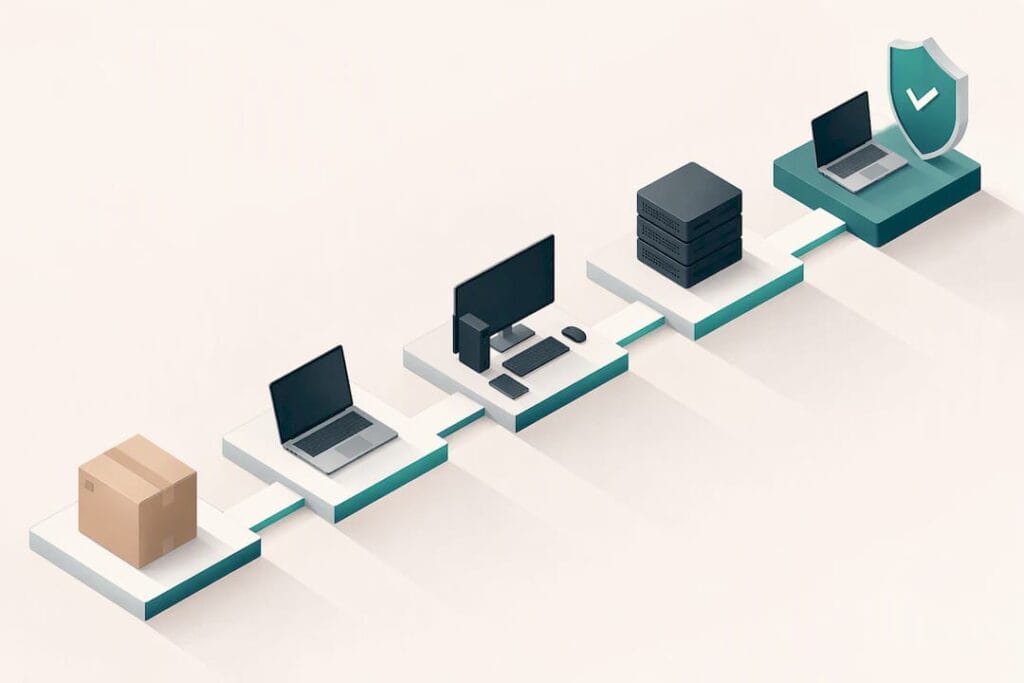
Every laptop, phone or tablet in your business moves through five distinct stages, and each one carries its own decisions and hand-offs.
- Procure: choose devices with documented manufacturer support periods, reasonable repairability and built-in enrolment capabilities, so fleet-wide management is possible from day one.
- Configure: apply automated enrolment, often called zero-touch, and define baseline configurations as code so every device arrives compliant without manual setup.
- Deploy: image and provision the device, then run onboarding and basic security training so users understand their responsibilities from the first login.
- Operate: provide ongoing support, monitoring and a regular patching cadence, handle incidents as they arise, and replace failing hardware before it becomes a liability.
- Retire: decommission the device, sanitise all data beyond recovery and maintain a documented chain of custody through to final disposal or reuse.
The NCSC’s device security principles treat device management as a core security control in its own right, recommending enforceable configuration policies, automated enrolment and open standards support throughout the fleet. That guidance is worth building procurement criteria around rather than treating as an afterthought once devices are already deployed, because retrofitting management capability onto hardware that was never designed for it is slower and more expensive than specifying it upfront.
What device lifecycle management actually saves you
Lifecycle management only earns its keep when you can measure it. The metrics that matter most to stakeholders are total cost of ownership (TCO), mean time to resolution (MTTR) for device incidents, onboarding time for new starters and device utilisation rates across the fleet.
- Fewer support tickets: standard builds and proactive patching cut down the volume of one-off fixes your help desk handles.
- Extended device life: planned refresh cycles and proper maintenance stretch usable hardware life beyond reactive, fault-driven replacement.
- Bulk procurement and lease optimisation: buying or leasing in planned batches, rather than piecemeal, improves pricing and simplifies support.
- Faster onboarding: a standard image means a new starter’s laptop is ready in hours rather than days.
Structured lifecycle management improves visibility and governance across a device fleet, reducing the reactive firefighting that comes from unsupported hardware and misaligned software licences. Sustainability metrics, including reuse rates and WEEE-compliant disposal volumes, are increasingly tracked alongside financial KPIs, since circular IT practices reduce both net disposal costs and environmental impact.
The technical controls every device fleet needs
Security across the device lifecycle rests on a small number of control categories, each doing a distinct job.
Your mobile device management (MDM) or endpoint management platform should support automated enrolment, enforce configuration policies centrally, allow remote wipe for lost or stolen devices, and permit configuration export and import for consistency across sites. The NCSC’s guidance for manufacturers specifically calls out open standards support as a requirement, so that devices are not locked into a single vendor’s management ecosystem.
- Patch strategy: automate updates wherever possible, plan around Windows lifecycle milestones, and don’t neglect firmware and driver updates alongside the operating system.
- Access controls: use conditional access that checks device health signals, such as patch status and encryption state, before granting access to applications and data.
- Monitoring and logging: maintain an accurate asset inventory, collect device health telemetry continuously, and feed that data into security operations for faster detection of anomalies.
The NCSC’s Windows platform guidance recommends keeping devices on supported Windows versions, using an MDM service to enforce compliance policies, and applying device health signals as a gate for cloud access. Our endpoint management service applies this kind of continuous oversight across client fleets, pairing policy enforcement with round-the-clock monitoring.
Pro Tip: Review your conditional access policies every time you add a new application, not just during an annual audit, since gaps appear fastest at the point of new integration.
Procurement, refresh planning and governance
Getting the lifecycle right starts well before a device reaches a user’s desk. Refresh cycles should be tied to manufacturers’ documented support lifetimes and the security update windows that come with them, not to an arbitrary internal schedule.
- Set procurement criteria that require a clear update policy, reasonable repairability, documented support lifetimes and exportable configurations before any purchase is approved.
- Write disposal obligations into contracts, including secure sanitisation, proof of disposal and formal data-processor agreements with any third party handling retired equipment.
- Model refresh costs properly, comparing outright purchase against leasing and weighing both against the operational overhead of managing an ageing, mixed-age fleet.
- Decide when a managed service makes sense, particularly once procurement, patching and disposal start consuming more internal time than the business can comfortably spare.
Our Microsoft 365 management service ties into this governance layer directly, since Windows lifecycle planning and cloud application management increasingly sit on the same policy framework.
End-of-life handling: ICO and WEEE obligations
Retiring a device is not simply a matter of switching it off and putting it in a cupboard. The ICO’s guidance on deleting data makes clear that personal data must be permanently destroyed before disposal, that standard deletion is not sufficient because electronic systems can retain data after a simple delete, and that any third party handling sanitisation must operate under a formal processor contract.
- Overwrite or physically destroy storage media using a method appropriate to the data’s sensitivity, rather than relying on a factory reset alone.
- Maintain a chain of custody from the moment a device is collected for retirement through to its final disposal or refurbishment.
- Request certificates of sanitisation from any disposal partner, and retain them alongside your other compliance records.
- Set a retention period for disposal documentation that matches your wider records policy.
Separately, WEEE regulations place obligations on producers and distributors to facilitate collection, treatment and environmentally sound disposal of electrical equipment. Producers and distributors covered by WEEE rules must retain related compliance records for several years, alongside providing free takeback for like-for-like products. Reuse and certified refurbishment are recognised routes under WEEE that reduce both disposal volumes and cost, provided data sanitisation happens first and is properly documented. Where devices leave your organisation for refurbishment or resale, the same ICO-level data destruction standard applies before they go anywhere.
What to expect from a managed device lifecycle partner
Handling every stage of the lifecycle well, procurement, configuration, monitoring, patching and compliant disposal, takes sustained attention that stretched internal teams often can’t give consistently. A managed partner typically brings together endpoint management, 24/7 monitoring, structured patching, secure disposal coordination and Microsoft 365 management under one service, so nothing falls into the gap between IT and facilities.
Before signing with any supplier, insist on seeing:
- Data-processor clauses covering how your data is handled during any device servicing or disposal.
- Evidence of secure disposal, including certificates of sanitisation for every retired device.
- A defined patching and reporting cadence, so you know exactly when updates are applied and how performance is reported back to you.
- Clear ownership of each lifecycle stage, so responsibility never sits in a grey area between your team and the supplier’s.
Our approach is built around Security by Default, meaning protection is designed into support packages from the outset rather than bolted on afterwards. With extensive experience, we combine around-the-clock endpoint monitoring with Microsoft 365 management, giving fleets consistent oversight regardless of where devices sit in their lifecycle.
How we support your device lifecycle
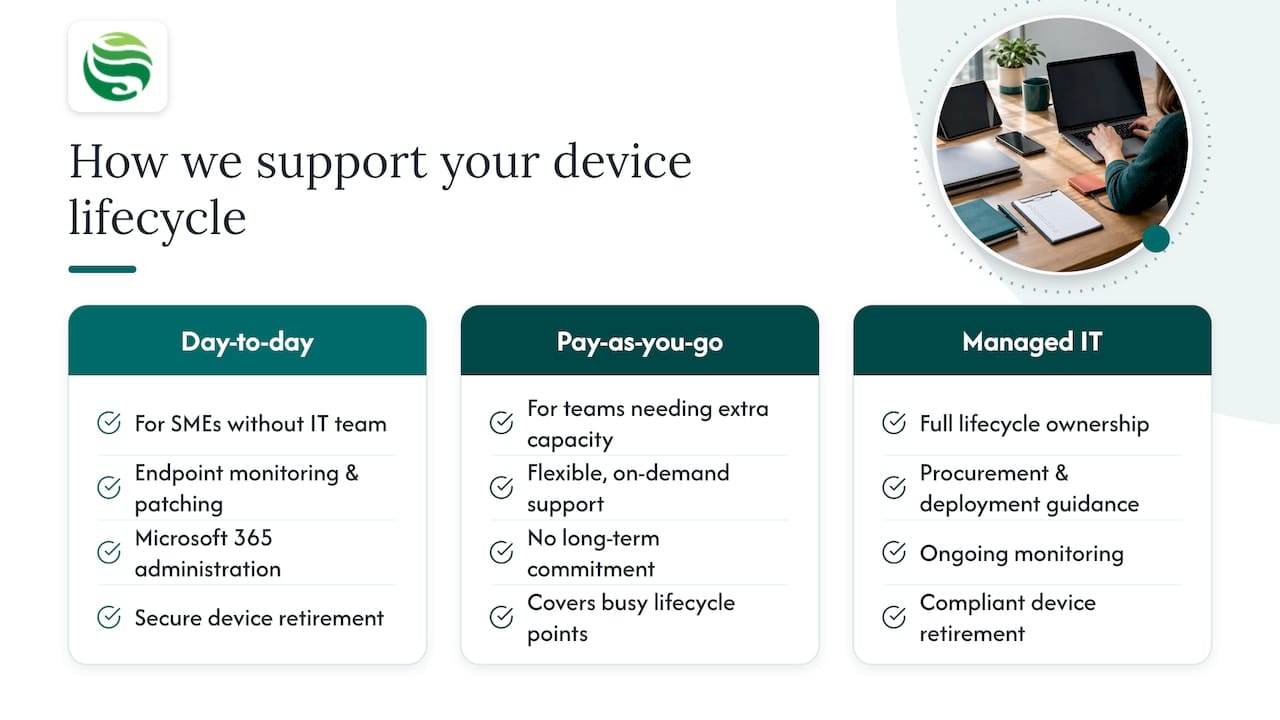
We provide the oversight that turns a disjointed set of device decisions into a managed, secure process you can rely on. For small and medium-sized enterprises without the resources for a dedicated in-house IT team, we handle the day-to-day: endpoint monitoring, patch management, Microsoft 365 administration and the secure handling of retiring devices, all built on Security by Default principles rather than added as an afterthought.
If you already have an internal team but need extra capacity at busy points in the lifecycle, our pay-as-you-go IT support gives you flexibility without a long-term commitment. For businesses ready to hand over full lifecycle ownership, our managed IT support service covers procurement guidance, deployment, ongoing monitoring and compliant retirement under a single agreement, with our outsourced IT manager option available where you want a named point of accountability. Get in touch to talk through where your current device fleet stands and what a managed lifecycle approach would look like for your business.
FAQ
What is device lifecycle management?
Device lifecycle management is the structured process of overseeing a device from procurement through configuration, deployment, daily operation and eventual retirement. It aims to reduce cost, maintain security and meet legal obligations such as those set by the ICO and WEEE regulations at every stage.
What are the five stages of a data lifecycle?
While terminology varies, a common version covers creation, storage, use, sharing and disposal of data, which runs alongside and informs the device lifecycle stages of procure, configure, deploy, operate and retire. Data disposal in particular must meet ICO requirements for permanent destruction before any device carrying that data is retired.
What is an example of PLM?
Product lifecycle management (PLM) typically refers to managing a manufactured product from design and engineering through to production and discontinuation, which is a different discipline from device lifecycle management. Device lifecycle management instead focuses on the operational life of IT hardware already in use within a business, from procurement to disposal.
What is CLM used for?
Contract lifecycle management (CLM) is used to manage agreements from drafting and negotiation through execution, renewal and expiry. Within device lifecycle management, CLM principles apply specifically to supplier contracts covering warranty terms, secure sanitisation obligations and data-processor agreements with disposal partners.
How often should we refresh business devices?
Refresh timing should follow manufacturers’ documented support lifetimes and security update windows rather than a fixed internal calendar, since running devices beyond their supported period increases security risk. The NCSC’s Windows platform guidance recommends keeping devices on supported versions as a baseline for this planning.