
Intune device management lets you control laptops, phones and tablets from one cloud console. You set the rules once (encryption, passcodes, updates, approved apps) and Intune applies them to every enrolled device, wherever your staff work. For most UK small businesses already paying for Microsoft 365, it is the most practical way to keep company data safe without a server room or a full-time IT team.
This guide covers what Intune does, how to enrol devices, how compliance policies work, what it costs in licensing terms, and what your employer can and cannot see. We are Abersecure, an IT support and cyber security provider in Aberdeen and Aberdeenshire, and we use this guidance with SMEs every day.
What Intune device management actually does
Microsoft describes Intune as a cloud-based endpoint management service that secures and manages devices and apps. In practice, that breaks into four jobs:
- Enrol and configure. New devices receive your settings, Wi-Fi profiles and apps without anyone touching them.
- Enforce security. Disk encryption, screen locks, firewall and update rules are applied consistently.
- Check compliance. Each device is assessed against your rules, and non-compliant devices can be blocked from company data.
- Respond. If a laptop is lost, an administrator can lock it or wipe it remotely.
The National Cyber Security Centre explains the aim of a mobile device management service as simplifying endpoint security through central policy enforcement. The same guidance carries a warning that matters for small firms: the platform holds the keys to every device, so it needs careful configuration, not an out-of-the-box install.
If you want the wider picture on UK guidance, see our article on mobile device management for UK SMEs.
Intune enrolment options: choosing how devices join
Enrolment is the point where a device becomes managed, so it is the decision that shapes everything after it. Microsoft’s Windows enrolment guide lists automatic enrolment, Windows Autopilot, user enrolment for personal devices, and co-management with Configuration Manager.
| Situation | Sensible route |
|---|---|
| New company-owned Windows laptops | Windows Autopilot: the user signs in with their work account and the device configures itself |
| Existing Windows PCs joined to your Microsoft 365 tenant | Automatic enrolment at sign-in |
| Staff using their own phone | App protection policies, or user enrolment if you need more control |
| Company with an existing on-premises estate | Co-management, as a stepping stone |
One warning from Microsoft’s documentation is worth repeating. A device enrolment manager account can enrol up to 1,000 devices, but it concentrates enrolment permissions in one login. For anything beyond a handful of devices, automated methods such as Autopilot are safer and easier to run.
Intune device compliance policies explained
A compliance policy is a set of rules a device must meet to count as healthy. Microsoft’s compliance overview describes them as rules and conditions that evaluate the configuration of your managed devices. Typical rules for a small business include:
- Disk encryption switched on
- A minimum operating system version
- A passcode or PIN of a set strength
- Firewall and antivirus active
The real value comes when compliance is linked to Microsoft Entra Conditional Access. Access to email and files is then granted only to compliant devices. A laptop that has missed its security updates, or lost encryption, simply stops getting in until it is fixed.
A practical tip: introduce policies in stages. Start by reporting only, see which devices would fail, then enforce. Switching on strict blocking on day one tends to lock out the managing director’s laptop before a board meeting.
Intune versus Group Policy
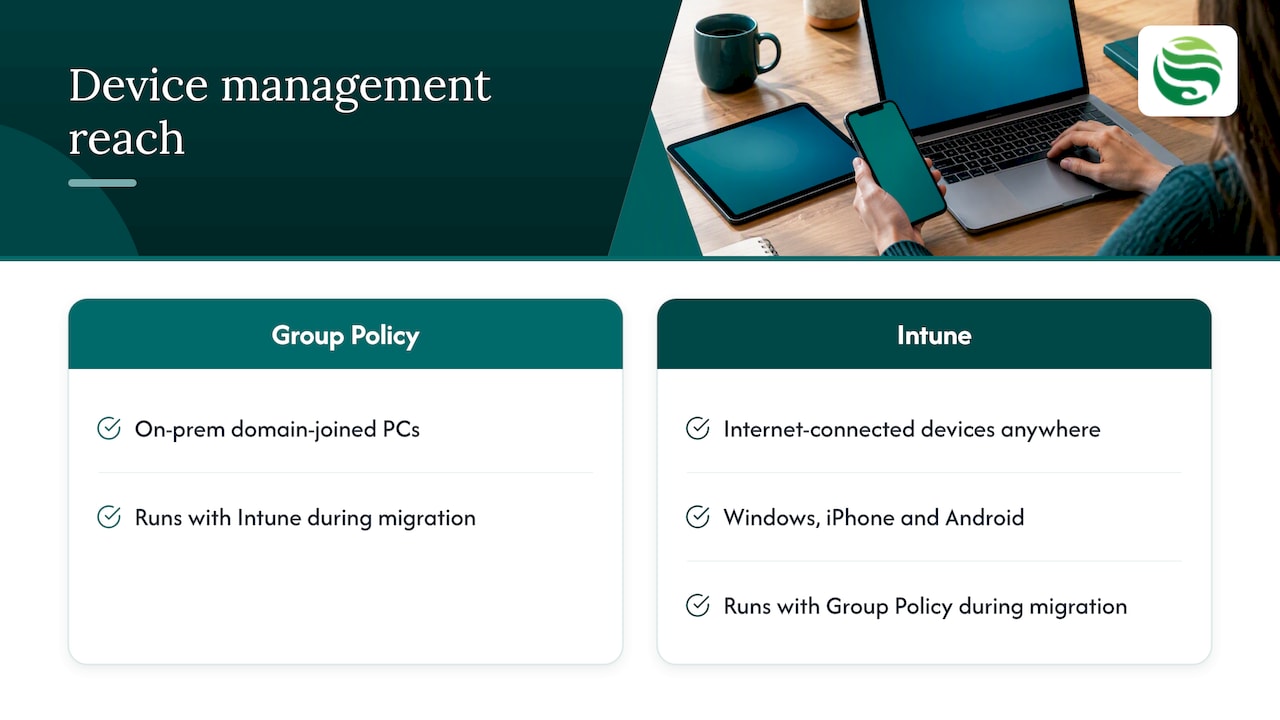
Group Policy was built for PCs joined to an on-premises domain. Intune is built for devices that live anywhere and connect through the internet. If your people work from home, travel, or use a mix of Windows, iPhone and Android, Intune covers ground that Group Policy cannot reach. Firms with a traditional office server can run both while they migrate, which is what co-management is for.
It also handles Apple hardware, though Mac-heavy teams sometimes add a specialist tool alongside it. We cover that in our piece on combining Intune with a dedicated Apple management tool.
Licensing: what you need to switch it on
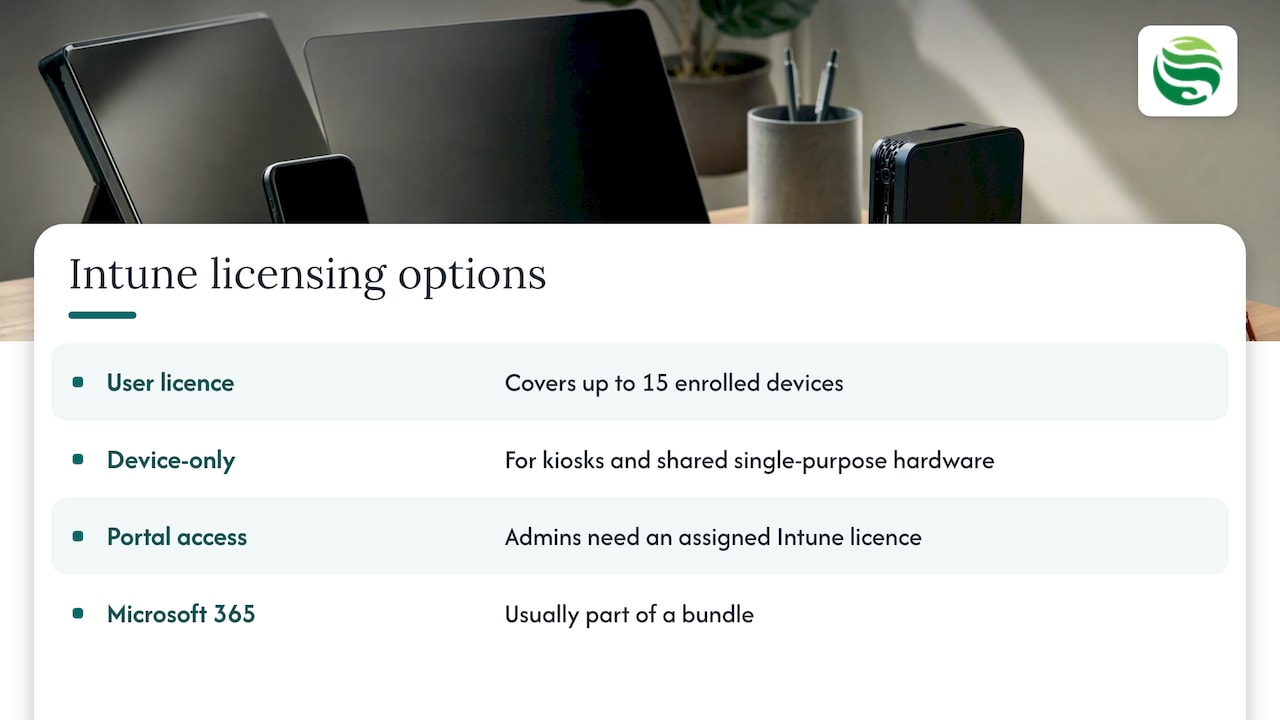
Intune is usually bought as part of a Microsoft 365 bundle rather than alone. Microsoft’s licensing page confirms that one user licence covers up to 15 enrolled devices, that device-only licences exist for kiosks and shared single-purpose hardware, and that administrators need an Intune licence assigned to reach the portal.
Before buying anything, check which licences your staff already hold and who has admin roles. This short guide on checking Microsoft 365 admin roles first is a useful companion when you are tidying up access. If you want us to review your tenant, our Microsoft 365 management service is the natural starting point.
Privacy: what can your employer see?
Staff ask this first, and it deserves a straight answer. On personal devices enrolled for work, Microsoft states that your organisation cannot see personal information such as browsing history, personal email, texts or photos. IT can see items like the device model, serial number, managed apps and compliance status.
UK law adds its own duties. The ICO’s guidance on monitoring workers says you need a lawful basis, and that monitoring must be necessary and proportionate. It also flags that BYOD carries particular risks because you control less of the device. In practice:
- Tell staff in writing what is managed and what is not.
- Document your reasoning, with a data protection impact assessment where the monitoring is high risk.
- Use the least intrusive control that does the job.
For many SMEs, the least intrusive control is an app protection policy. As Microsoft’s security overview explains, it protects company data inside apps, for instance by requiring a PIN or blocking copying, even on devices you do not manage. Your employees keep their phones; you keep your data.
Getting Intune set up securely
A sound rollout follows a clear order:
- Inventory every device and who uses it.
- Secure the admin side first. The NCSC advises multi-factor authentication on all administrator interfaces, so read our guide on Microsoft 365 MFA and emergency accounts.
- Choose enrolment routes per device type.
- Build baseline policies for encryption, updates and passcodes.
- Pilot with a few users, then widen.
- Monitor and patch continuously, because a policy set once and forgotten drifts.
Steps 4 to 6 are where most small firms stall, since nobody owns them. That is the gap managed support fills.
How Abersecure can help
Our approach is Security by Default: protection is part of how devices are supported, not an optional extra. If you want your devices monitored and managed without hiring in-house, look at our endpoint management service, or speak to us about managed IT support in Aberdeen. For occasional help, such as a one-off Intune build, pay as you go IT support may suit better. Please contact us to confirm exactly what is included in each option.
FAQ
What is Intune device management?
It is Microsoft’s cloud service for configuring, securing and monitoring company devices and apps. You define policies centrally, and they apply to Windows, Apple and Android devices that are enrolled. It is normally licensed through Microsoft 365 business plans.
Is Intune suitable for a small business?
Yes, if you already use Microsoft 365 it is often the logical choice, since licensing is typically bundled. The challenge is rarely the tool but the upkeep: policies, updates and compliance reports need regular attention. Many small firms hand that to a managed provider.
Can my employer see my personal data through Intune?
Not on a personal device enrolled for work. Microsoft says organisations cannot see personal browsing, messages, photos or passwords, only managed apps, compliance status and basic device details. Employers must also meet ICO expectations on transparency and proportionality.
Do I need Intune compliance policies if I already have antivirus?
Antivirus protects against malware; compliance policies check that the device itself is configured safely, then control access to company data accordingly. They work together, and our endpoint protection service covers the protection side.