
Shadow IT risks come from technology your business uses but does not know about: unapproved apps, personal accounts and unmanaged devices that hold company data. The main dangers are data theft, malware spreading across your network and having no visibility of what needs protecting. You control them by finding what is in use, making approved tools easier to use than the workarounds, and setting clear rules. This guide shows you how.
What shadow IT is and where it appears
The NCSC defines shadow IT as IT assets used for business purposes that are not accounted for by asset management or aligned with corporate IT processes and policy. It is also called grey IT. It is rarely malicious. Staff usually turn to it because the approved tools do not meet their needs, or are ineffective or slow.
The growth of SaaS has made this easy. IBM notes that non-IT staff can now deploy sophisticated systems without involving an IT department. A card and an email address are often all it takes.
The NCSC lists the following as typical examples:
- personal cloud storage accounts used for work files
- unapproved messaging or video-conferencing services
- unmanaged AI services fed with company data
- personal devices connected to the business network
- project-management or planning tools signed up for by a team
The same guidance also includes less obvious items: IoT devices such as smart doorbells, and Wi-Fi access points that someone has added to improve coverage. In a small office, a cheap extender plugged in by a well-meaning colleague counts.
The main shadow IT risks for a small business
According to the NCSC, the primary risks are data exfiltration and malware spreading through the network. Several others follow from those two.
Data leaves your control
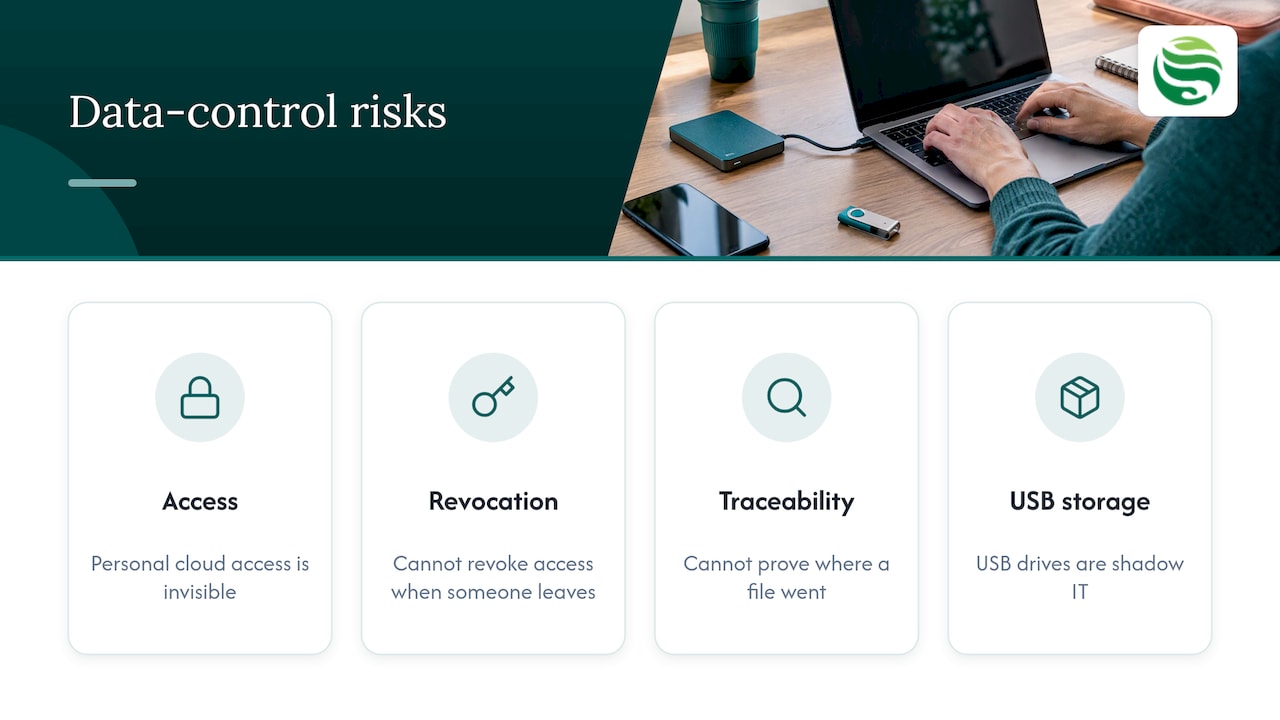
When a file sits in a personal cloud account, you cannot see who has access, cannot revoke it when someone leaves, and cannot prove where it went. The NCSC also points to controlling external storage devices as a major step in reducing data exfiltration. USB drives are shadow IT in its oldest form.
Malware and ransomware get a way in
An unpatched laptop or an unmanaged device on your network is an easy entry point. If nobody knows it exists, nobody updates it or monitors it. One compromised device can then reach systems that were otherwise well protected.
You cannot manage risks you cannot see
The NCSC highlights the lack of visibility for risk management. A risk assessment based on an incomplete inventory is incomplete itself. If you want to see how a proper one runs, our guide to finishing an IT risk assessment in 8 steps covers it.
Legal and data protection exposure
The NCSC lists legal issues around data handling as a risk. If personal data is processed in a tool you have not assessed, you may be unable to answer basic questions about where it is held and who can reach it. That is uncomfortable if a customer, insurer or regulator asks.
Higher costs when something goes wrong
Incident recovery costs time and money, and it costs more when you first have to discover what was affected. Industry surveys point the same way: GoTo reported that 79% of IT professionals believe shadow IT puts company data at risk.
How to find shadow IT without a witch hunt
The NCSC suggests that organisations can find shadow IT with asset management and network scanners. Start with these steps:
- Build an inventory. List every laptop, phone, server, printer and access point you own, and every cloud service you pay for.
- Scan the network. Compare what is connected with what is on the list. Unknown devices are your first leads.
- Check your subscriptions. Expense claims and card statements often reveal tools that IT never approved.
- Review Microsoft 365 and similar platforms. Look at which third-party apps have been granted access to company accounts.
- Ask your people. This step is the one most often skipped.
The NCSC recommends a no-blame culture, where staff can report unofficial tools without fear. If people expect a telling-off, the tools simply go further underground. Respond quickly to requests too. Slow approval is one of the main reasons shadow IT exists in the first place.
There is a positive side. TechTarget notes that workers are often best placed to spot their own productivity problems, so what they have adopted shows you where your approved tools fall short. Treat each discovery as feedback as well as a risk.
Writing a shadow IT policy that people follow
A shadow IT policy should be short enough to read. The ICO’s guidance on system and network security points to the building blocks: documented network security management processes, assigned responsibilities, documented firewall rules and approvals, and a log of the operating systems and software in use.
In practice, a workable policy for a small business covers:
- Who approves new tools, and how long they will take to respond
- What counts as company data, and where it may be stored
- Which devices may connect, and under what conditions
- How to report an unapproved tool without blame
- Who owns the software log and keeps it current
Pair the policy with enforcement that works quietly in the background. Our guide to a device management policy explains what to include and how to enforce it. If your teams collaborate in Microsoft Teams, Teams governance stops unmanaged channels and guest access from becoming their own blind spots. Policy alone does not change habits, but it gives you something to point to when a gap appears.
Network segmentation for SMEs
You will not find every unapproved tool, so limit the damage when one slips through. The ICO describes keeping sensitive or critical information on a separate network with higher traffic controls. Network boundaries should be clear, and each network should have its own authentication and encryption controls. For high-risk processing, or for devices running unsupported software, it also describes air-gapped equipment.
For an SME, that translates into a few practical decisions:
- Keep finance, HR and customer data on a network that ordinary devices cannot reach.
- Put visitors, personal phones and smart devices on a separate network from business systems. These guest Wi-Fi safeguards are a sensible starting point.
- Isolate older equipment that cannot be updated, rather than leaving it on the main network.
Segmentation has limits. It contains problems but does not remove them, and it does nothing about data that staff upload to a personal cloud account. You still need visibility, a policy and monitored devices.
How Abersecure helps Aberdeen businesses
Finding and controlling shadow IT is ongoing work, which is hard to fit around a small team’s day job. Abersecure provides managed IT support for businesses in Aberdeen and Aberdeenshire, with Security by Default built in. Our endpoint management service provides 24/7 device monitoring, so devices are accounted for and managed. A cyber risk assessment is a practical first step if you do not yet know what is on your network. If you prefer to buy help as you need it, there is also pay as you go IT support.
FAQ
What is the primary risk of shadow IT?
The NCSC names data exfiltration and the spread of malware through the network as the primary risks. Both happen because the tool or device sits outside your monitoring and patching. Lack of visibility and legal exposure over data handling follow from that.
What are examples of shadow IT?
Common examples are personal cloud storage, unapproved messaging and video-conferencing apps, AI services used with company data, and personal devices on the work network. Less obvious ones include smart devices and extra Wi-Fi access points. Each is usually added to get a job done faster.
Should we ban shadow IT completely?
A ban rarely works, because staff adopt tools when approved ones fall short. The NCSC advises responding quickly to requests and encouraging a no-blame culture, so people tell you what they use. Then approve, replace or block each tool on its merits.
How do we control shadow IT in a small business?
Start with an inventory and a network scan, then set a short policy with a clear approval route. Add managed devices and network segmentation to limit exposure. A managed IT provider can carry out the monitoring and reporting if you lack an in-house team.
If you would like help getting visibility of what your business really uses, talk to Abersecure.