A good remote work security policy is a short, enforceable document that says who it applies to, which devices, accounts and locations are allowed, how data must be handled, and what staff do when something goes wrong. It does not need to be long. It needs to be specific enough that an employee working from a kitchen table in Inverurie knows exactly what is expected, and that a manager can check it is being followed.
This guide sets out what to put in your remote work security policy, drawing on UK guidance from the NCSC, ICO, HSE and Acas, and shows how it doubles as your work from home IT policy and a home office security checklist.
What your remote work security policy should cover
Start with purpose and scope. GOV.UK’s remote working security policy for suppliers to the DWP says the policy must define mandatory, proportionate controls for protecting information and assets wherever staff work, including homes, public spaces and hotels. Proportionate matters: a ten-person firm does not need the controls of a government department, but it does need to decide what “remote” means and write it down.
The NPSA suggests a policy should consider prohibited activities, the security and storage of documents and equipment, data handling, financial obligations and prohibited locations. Turned into headings for a small business, that gives you:
- Purpose and scope: what the policy protects and where it applies.
- Approved devices and software: what staff may use for work.
- Accounts and access: passwords, multi-factor authentication and remote access.
- Data handling: where information may be stored, shared and disposed of.
- Physical security: screens, paperwork and equipment at home or in transit.
- Prohibited locations and activities: for example, working on sensitive files in public places.
- Reporting and consequences: how to report a problem and what happens if rules are ignored.
Who the policy applies to
Apply it to everyone who touches your information, not only employees. The GOV.UK policy states that it should cover employees, contractors, consultants and third-party suppliers who handle, process or store the organisation’s information. If a freelance bookkeeper or an outsourced designer has access to your shared drive, they are in scope.
Device, account and network rules for working from home
This is the part most people mean by a work from home IT policy. Keep each rule short and testable.
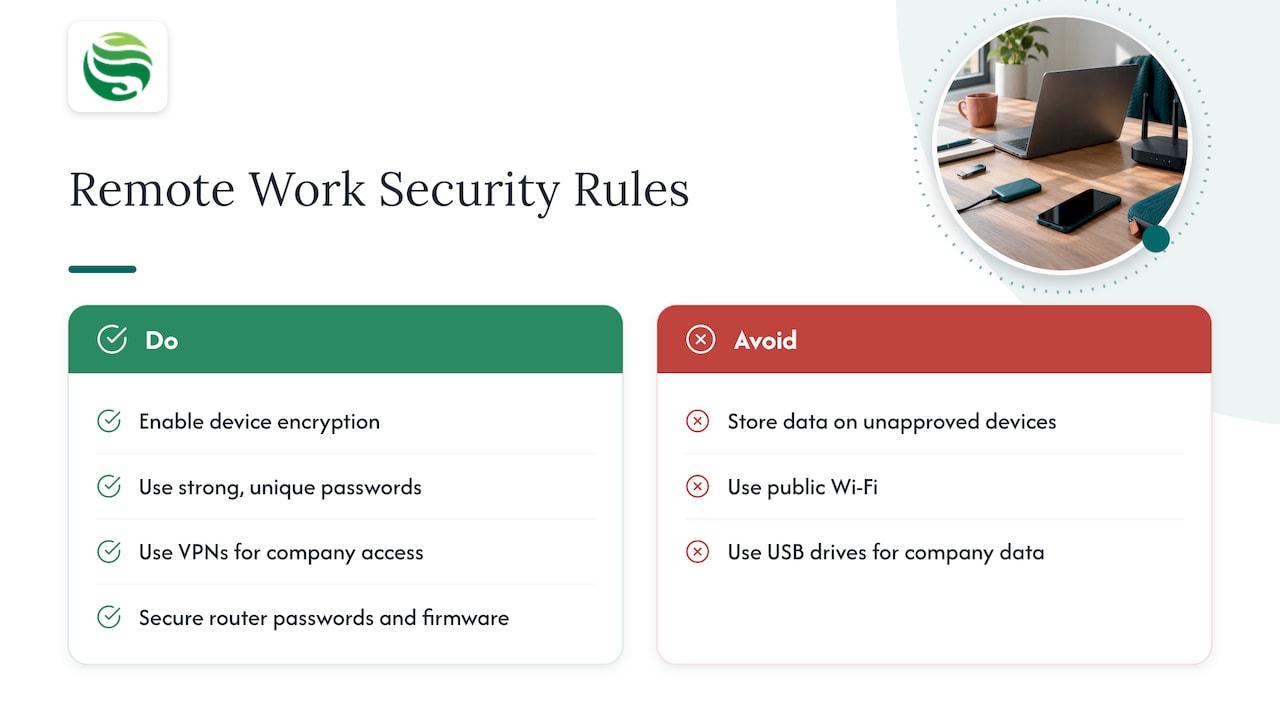
Devices. The NCSC recommends that devices used for remote work have data encryption enabled, and that organisations consider mobile device management to keep standard configurations. It also warns that devices are more likely to be lost or stolen away from the office, so encryption, remote locking, erasure and backup controls matter. Our guides on mobile device management for UK SMEs and what to include in a device management policy go deeper, and Intune device management is a common way to apply these rules in Microsoft 365 environments.
Personal devices. Decide whether staff may use their own laptops or phones, and say so plainly. Ealing Council’s policy treats storing sensitive work information on personal devices as often a breach, with only approved, encrypted hardware allowed for extracting data. Name the approved storage too: the same policy permits OneDrive or SharePoint and requires express permission for other services. That approach also limits shadow IT, where staff adopt unapproved tools to get work done.
Accounts. The NCSC recommends strong account passwords and 2-Step Verification where available. The ICO’s employer checklist asks for unique, complex passwords and multi-factor authentication where possible. A ready-to-adapt wording is in our SME password policy.
Networks. The NCSC suggests VPNs for remote access to company systems. NHS England Digital warns that criminals can exploit weaknesses in home networks, and advises avoiding public Wi-Fi, securing home router passwords and firmware, and keeping software updated.
Removable media. The NCSC points out that USB drives are easily misplaced, may hold sensitive information and can introduce malware. Many small firms simply prohibit them for company data.
Travel. Staff who work abroad or on the move face extra risks on their mobile connections. If your policy allows working while travelling, add a line on mobile data, and point staff to practical advice such as eSIM security before you travel, which covers setting a PIN on the mobile account.
A home office security checklist for employees and managers
A policy is easier to follow when staff can tick things off. The ICO’s employer checklist asks for clear policies on accessing, handling and disposing of personal data, and the NPSA identifies shared accommodation as a confidentiality risk: family members or house-sharers may see or hear sensitive information, and equipment may be stored insecurely. Combine those with the controls above and the checklist becomes:
| Area | Employee checks | Manager checks |
|---|---|---|
| Device | Screen locks automatically; disk encrypted; updates installed | Device is on the approved list and managed centrally |
| Accounts | Unique password; multi-factor authentication switched on | Leavers’ access removed promptly |
| Home network | Router password changed; router firmware updated | Remote access uses the approved method |
| Physical | Screen not visible to others; paperwork locked away | Disposal route for printed material agreed |
| Data | Files saved only to approved cloud storage | Backups cover remote devices |
| Reporting | Knows who to tell about a lost device or suspicious email | Contact route is written down and tested |
Keep the checklist to one page. Staff will read a page; they rarely read a twelve-page policy.
Data protection and health and safety duties
Security rules sit alongside legal duties, and a remote work policy should acknowledge both.
Data protection. The NPSA notes that UK data protection obligations apply wherever personal information is processed or stored, including at home. A customer list on a spare-room laptop is covered by the same law as one in your office. If you are unsure how your obligations apply, speak to your data protection lead or a qualified adviser.
Health and safety. The HSE states that employers have the same health and safety duties for home workers as for office-based staff, with a focus on stress, display screen equipment and the working environment. Its guidance says risk assessments for home workers should consider stress and poor mental health, safe use of computers and laptops, and the working environment. Many firms add a short home workstation self-assessment to the same onboarding pack as the security checklist.
Training, incident reporting and review
Rules only work if people know them and can act on them.
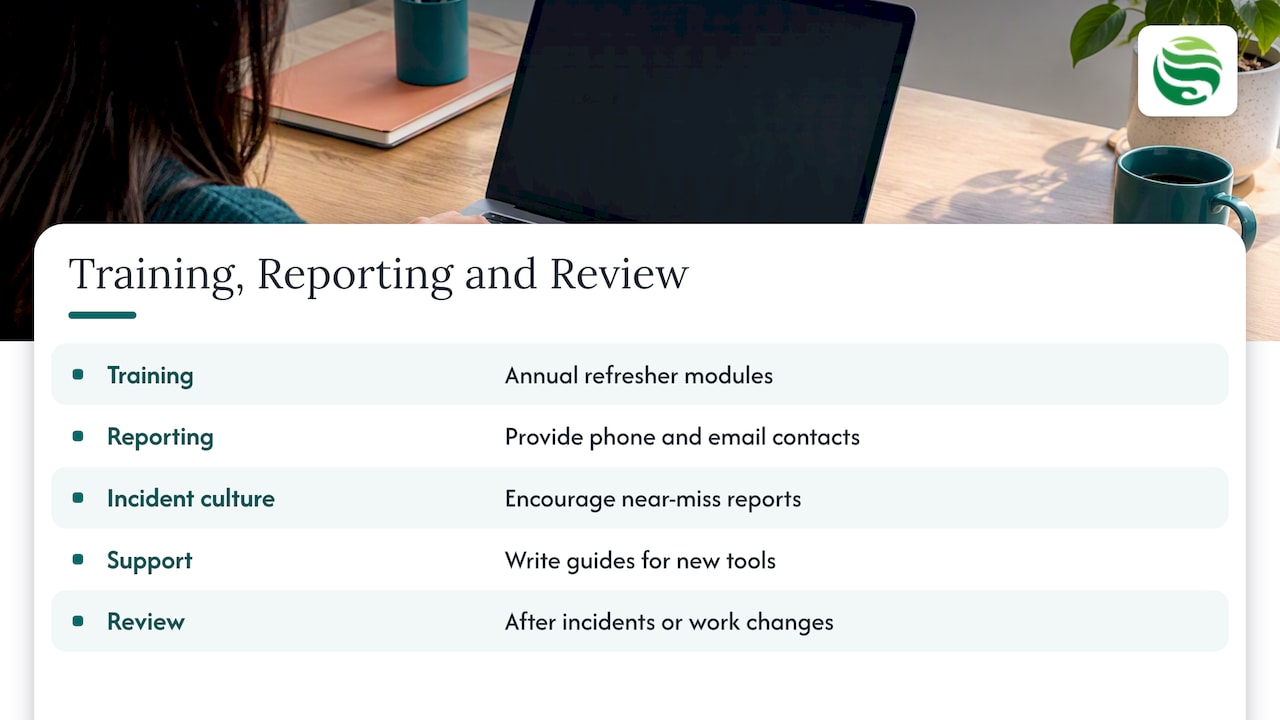
Training. An internal audit of Argyll and Bute Council’s remote working found mandatory GDPR training with annual refresher modules, and noted that the NCSC suggests staff work through its cyber security e-learning. A yearly refresher is a sensible pattern for a small firm too.
Reporting. Remote workers should have a reporting mechanism for lost or stolen material or devices. Put a phone number and an email address in the policy, not just a job title. The NCSC advises building a positive security culture where employees are encouraged to report incidents, including near misses, without fearing reprisals. The same source says incident response plans should be exercised; our ransomware response plan guide is a good starting point for that rehearsal.
Support. The NCSC notes that support teams can be overwhelmed by remote-work queries, and suggests written “How do I?” guides for new tools.
Review. Acas advises organisations to review their policy regularly and decide when, by whom and how changes are communicated. Put a version number, an owner, a last review date and a next review date on the first page. Review it sooner after any incident, a change of core software or a new office or working pattern.
Putting your policy into practice with Abersecure
A policy on paper is only half the job; the other half is enforcing it on real devices. We provide managed IT support and managed cyber security for businesses in Aberdeen and Aberdeenshire, with Security by Default as our standard approach. Relevant services include endpoint management, endpoint protection and security awareness training. To see which package fits, visit our packages page or get in touch to talk it through.
FAQ
Does a small business really need a remote work security policy?
If any staff, contractors or suppliers access your information from outside your premises, yes. UK data protection duties apply wherever personal data is processed, including at home, so a written policy is how you show staff what is expected. It can be a few pages.
What is the difference between a remote work policy and a remote work security policy?
A general remote working policy covers arrangements such as requests, hours and agreements. A remote work security policy covers how information, devices and accounts are protected. Many firms combine them in one document with a dedicated security section.
What should a work from home IT policy say about personal devices?
It should state clearly whether personal devices are allowed and, if so, which data may be stored on them. Public-sector examples restrict sensitive data to approved, encrypted hardware. Whatever you decide, name the approved cloud storage and tell staff how to report a lost device.
How often should we review the policy?
Acas advises regular reviews and recording who is involved and how changes are communicated. A yearly review, plus one after any incident or major system change, is a practical rhythm for most small businesses.