Effective phishing prevention for SMEs rests on four layers working together: stopping malicious email before it reaches staff, helping people spot and report what gets through, limiting the damage when someone clicks, and responding quickly. No single tool does all four. At Abersecure we build this into every support package as part of Security by Default, so email, devices and accounts are managed together rather than as optional extras.
This guide explains why small firms are targeted, what to put in place, and what to do in the first hour after someone clicks.
Why phishing prevention matters for SMEs
Phishing means a fraudulent message, usually an email, designed to trick someone into handing over a password, money or access. Small businesses are an easy target because they hold the same valuable data as large ones, such as customer details and payment information, but often have no dedicated security team. The Federation of Small Businesses points out that targeted attacks work because staff are more likely to share information or process payments for someone they trust.
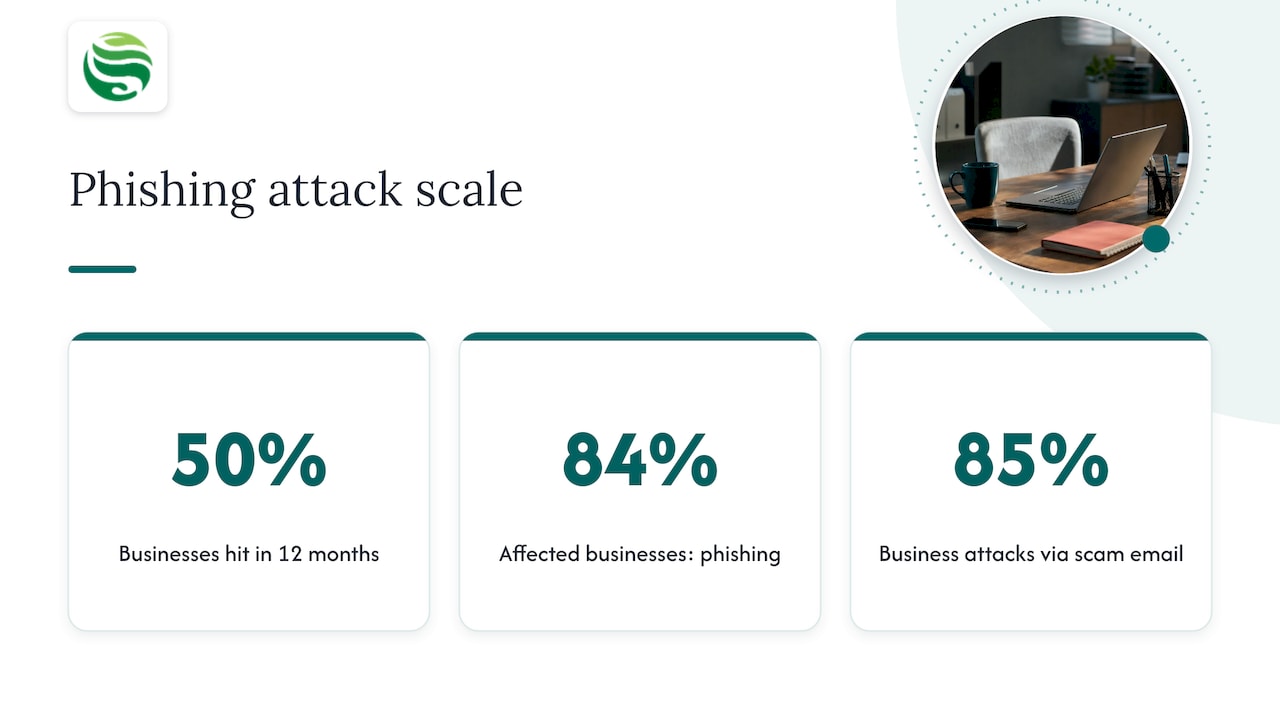
The scale is clear. The government’s Cyber Security Breaches Survey 2024 found that 50% of businesses had experienced a breach or attack in the previous 12 months, with phishing the most common type, affecting 84% of those businesses. The NCSC states that 85% of cyber attacks against businesses start with a scam email.
The consequences go beyond a lost payment. The ICO lists theft of money, compromised information, reputational damage, identity theft and disruption to business functions. The NCSC adds that a hacked business mailbox can be used to impersonate the owner and to reset passwords on other accounts.
The four layers of defence
The NCSC organises its phishing guidance into four layers and says a mix of technology, process and people is needed:
- Make it difficult for attackers to reach your users.
- Help users identify and report suspected phishing.
- Protect the business from phishing emails that go undetected.
- Respond quickly to incidents.
Most small firms invest in one layer, usually a bit of staff training, and leave the others to chance. A reliable approach covers all four, and the sections below take them in turn.
Layer one: stop phishing emails reaching your staff
The cheapest phishing email to deal with is the one nobody sees. The NCSC advises filtering or blocking spam, phishing and malware before email reaches users, ideally server-side. Filtering rules may need fine-tuning over time to balance legitimate email caught by mistake against the workload on staff.
Three technical controls do most of the work for a business domain:
- SPF publishes which servers may send email for your domain.
- DKIM signs outgoing email cryptographically so recipients can check it has not been altered.
- DMARC sets the policy for what receiving servers do with email that fails those checks, including discarding it.
The NCSC’s email security and anti-spoofing guidance recommends all three, plus TLS to protect email in transit. Together they make it harder for criminals to send convincing messages that appear to come from your own domain. If your business runs on Microsoft 365, our guide to Microsoft 365 email security covers how these protections fit together, and our email security service is the page to read if you want it managed for you.
Layer two: help staff spot and report phishing
Training matters, but it works best when it is practical and when reporting feels safe. The NCSC lists the tell-tale signs staff should know:
- misspelled sender addresses
- unexpected attachments
- generic greetings such as “Dear valued customer”
- links to unfamiliar sites
- spelling and grammar mistakes
- poor-quality or strange-looking logos
The FSB adds urgency words, requests for passwords or bank details, and mismatched sender addresses. It also notes that well-known brands such as HMRC are commonly imitated, and that invoice fraud, where an attacker poses as a trusted supplier, is increasingly common.
Give staff one simple rule for anything involving money or credentials: verify through a second channel. If a supplier emails new bank details, phone a number you already hold, not the one in the message. Business.gov.uk gives the same advice for payment requests, because the email itself may be cloned or hacked.
Just as important is how you treat mistakes. The NCSC’s small business guide warns that punishing people who get caught out discourages reporting, and can leave staff spending too long scrutinising every email. Both do more harm over time. Make reporting a one-click or one-message habit, and thank people who do it.
Our Security Awareness Training sits alongside the technical controls, so your staff learn what the filters are already doing for them.
Layer three: limit the damage when something gets through
Some phishing will reach an inbox, so accounts and devices need to be hard to abuse.
- Multi-factor authentication (MFA). The NCSC recommends MFA on email and other business accounts. Where your email provider supports them, it also advises passkeys, which cannot be intercepted, reused or stolen like passwords. Where they are not available, use a strong unique password plus 2-step verification.
- Password managers. The NCSC notes they may refuse to autofill on a fake site, which gives users a useful warning. Our SME password policy is a copy-ready starting point.
- Limited privileged access. Review administrator rights regularly and remove those no longer needed, so one stolen login cannot open everything.
- Up-to-date devices. Keep software patched and devices protected. Our endpoint protection page explains how we handle this for business devices.
- Less information on show. The NCSC suggests removing non-essential staff profiles, finance details and outdated links from websites and social media, as criminals use them to make messages convincing.
If phishing is also a worry for your wider Microsoft 365 setup, our Microsoft 365 security guide goes deeper.
Layer four: what to do if someone clicks
Speed matters more than blame. Put this sequence in writing before you need it. The NCSC says every business should have a cyber attack plan defining who does what and when, in the same way you know what to do in a fire.
- Report it immediately to whoever manages your IT. Staff should never wait to see if anything happens.
- Change passwords on the affected account, and anywhere the same password was used, from a clean device. The NCSC small business guide advises scanning for malware and changing passwords when a successful attack is suspected.
- Check for mailbox rules and sign-ins you do not recognise, because attackers often use a hijacked account to target your customers next.
- Contact your bank at once if money or payment details were involved.
- Report the crime. Since 4 December 2025, Report Fraud has replaced Action Fraud for reporting fraud and cyber crime in England, Wales and Northern Ireland. In Scotland, report fraud to Police Scotland on 101. The same page gives a 24/7 number for organisations under cyber attack, 0300 123 2040, and says suspicious texts can be forwarded to 7726.
- Consider data protection. If personal data may have been exposed, a breach can need reporting to the ICO within 72 hours. Our GDPR breach reporting guide walks through the decision.
If the click led to ransomware, our ransomware response plan sets out the next steps.
How Abersecure supports phishing prevention for SMEs
Phishing prevention for SMEs is rarely a one-off project. Filters need tuning, accounts need reviewing, devices need patching and staff need reminders. That is why we treat security and day-to-day IT support as one service rather than separate add-ons, with Security by Default built into our support packages, 24/7 endpoint monitoring and specialist escalation when something looks wrong.
We have more than 19 years of experience across 27 countries, and we support businesses in Aberdeen and Aberdeenshire. Our Managed Cyber Security service is the best place to start, and our Managed IT Support covers the everyday side. If you want to understand where you stand first, our Cyber Risk Assessment is a good first step. See our case studies for examples of the work.
Keeping your defences current
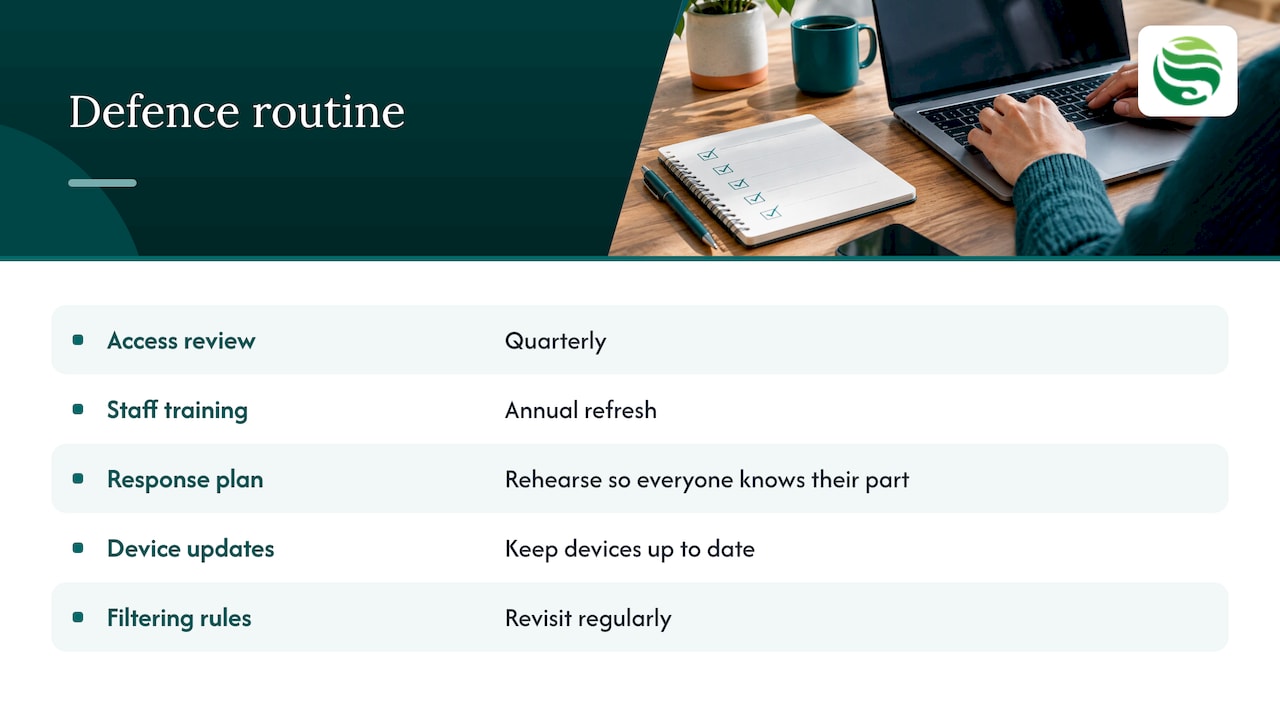
Attackers change tactics, and so does your business: new starters, new suppliers, new software. The NCSC recommends regularly reviewing and revoking privileged access, keeping devices up to date and revisiting your filtering rules. A sensible rhythm is a quarterly review of who has access to what, an annual refresh of staff training, and a rehearsal of your response plan so that everyone knows their part. Phishing prevention for SMEs works when it is routine, not when it is a reaction to the last scare.
FAQ
How can a small business stop phishing emails?
Start by filtering email before it reaches staff and setting up SPF, DKIM and DMARC on your domain. Add multi-factor authentication to every account that supports it. Then train people to verify unusual requests through a second channel.
What is the best way to defend against phishing?
There is no single control. The NCSC recommends combining technology, process and people across four layers: blocking, reporting, protecting and responding. A managed service helps because someone keeps all four layers maintained.
Should I discipline an employee who clicks a phishing link?
No. The NCSC warns that punishing staff discourages reporting, which makes incidents worse. Treat a click as a signal to act quickly, and use it to improve training and controls.
Do small businesses really get targeted by phishing?
Yes. The Cyber Security Breaches Survey 2024 found phishing was the most common type of attack among businesses that experienced one. Size does not protect you, because customer and payment data are valuable at any scale.