Log monitoring for a small business means collecting the event records your systems already produce, watching them for suspicious patterns and being alerted when something looks wrong. The hard part is not switching logging on. It is deciding which logs matter, keeping them safely for long enough, and having someone who actually reads the alerts. That is the work we take off your hands as part of managed IT support in Aberdeen and Aberdeenshire, with security built in from the start.
Log monitoring and log management: the difference
A log is a timestamped record of something that happened: a login, a failed password, a changed permission, a file transfer. Laptops, servers, firewalls, Microsoft 365 and cloud services all produce them.
The two terms are often mixed up. Log management covers the lifecycle of the data, from collection and storage to retention and deletion, while log monitoring is the layer that analyses it and acts in real time. Management is the plumbing; monitoring is the part that tells you something is wrong. Monitoring only works if the plumbing is sound, because alerts are only as good as the pipeline feeding them.
Why a small business needs it
Most damaging incidents start quietly: an odd login, a new administrator account, a mailbox rule nobody created. CISA’s small-business guidance says early detection of unusual activity is key to preventing data breaches and ransomware, and that logging builds a picture of normal behaviour so anything out of the ordinary stands out.
Logs also help with ordinary reliability. When a user cannot sign in or a service keeps failing, the event record shows what changed and when, so the fix is faster. For ransomware specifically, see our practical defence plan for SMEs.
Which logs to collect first
You do not need everything. The NCSC advises starting with the default log-source settings and trimming the information least likely to help answer incident questions until cost and benefit balance. It also recommends accurate time synchronisation across devices, so events from different systems line up, and a central store alongside vendor dashboards.
A sensible first set for a small firm:
- Identity and sign-in logs: Microsoft 365 or other cloud sign-ins, failed logins, new accounts, permission changes.
- Endpoint logs: laptops and desktops, covering processes and file activity.
- Email and file storage: unusual forwarding rules, large downloads or transfers.
- Network and firewall logs: web connections and DNS requests.
- Servers and key applications: anything holding customer or financial data.
NHS England’s monitoring guidance lists the activity worth alerting on: unusually high failed logins, access at odd hours or from odd locations, configuration or permission changes and large data transfers. Those make a good starting rule set.
Turning logs into alerts someone acts on
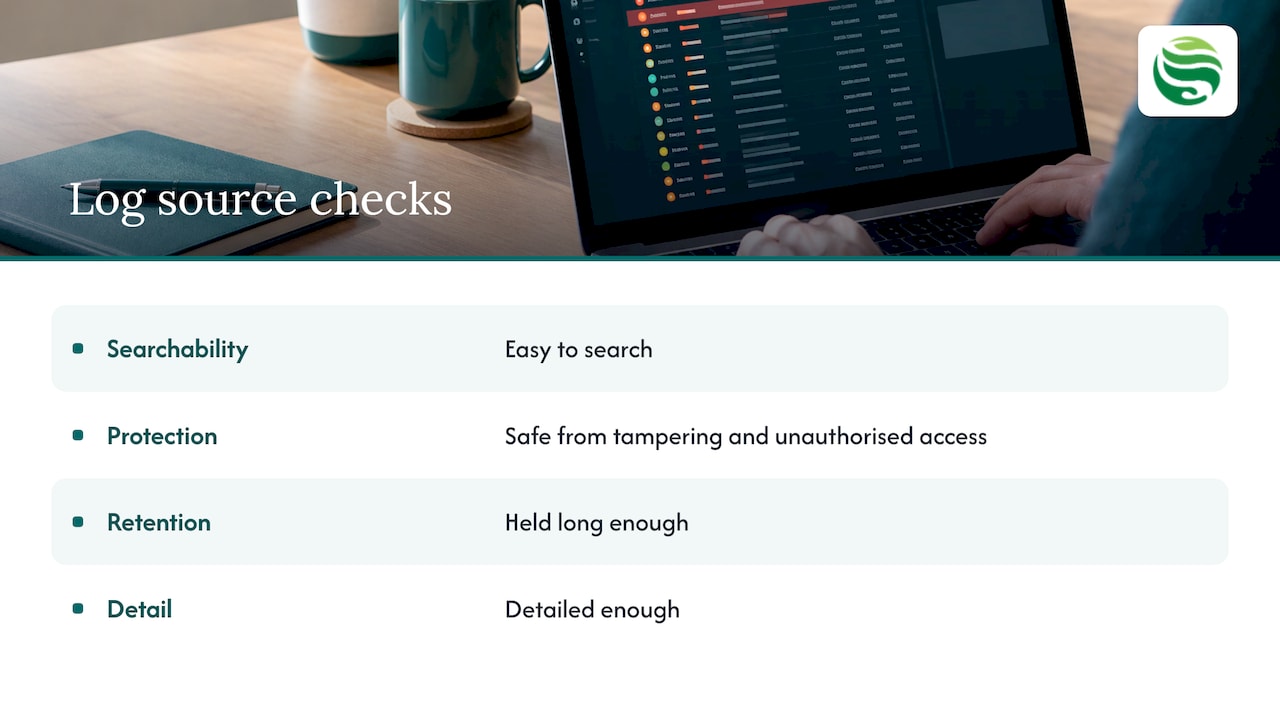
A pile of unread logs protects nobody. The NCSC suggests judging each source on four questions: can the logs be searched easily, are they safe from tampering and unauthorised access, are they held long enough, and are they detailed enough?
Then comes the review. Alerts need tuning so genuine incidents are not buried in false alarms, which NHS England’s guidance handles by validating alert rules before and after deployment. Doing this alongside a day job is where most small businesses stall. Our endpoint management provides 24/7 secure device monitoring, and our network monitoring service keeps watch over your infrastructure, so alerts reach people whose job is to deal with them. If you want the benefits explained first, read about endpoint monitoring for UK small businesses.
Setting a log retention policy
A retention policy answers three questions: how long each type of log is kept, who can access it, and how it is deleted.
Security logs: at least six months. The NCSC recommends holding logs that can answer key investigation questions for a minimum of six months, noting that the average time to detect an attack in the report it cites was 101 days. Longer is advisable where budget allows.
Personal data: no longer than necessary. Logs often contain personal data such as usernames and IP addresses. UK GDPR’s storage limitation principle means personal data should be kept in identifiable form no longer than necessary, and you must be able to show you comply. One May 2026 UK guide suggests 30 to 90 days for server access logs kept for security, which shows why you should document your reasoning rather than copy a number. For help balancing storage limitation with deletion schedules, see this guide to GDPR and data protection requirements.
Records of processing. UK GDPR Article 30 asks for records of processing activities, including time limits for erasure where possible. Organisations with fewer than 250 employees are exempt unless the processing is risky, not occasional, or involves special-category data, so most firms should assume they need one.
Protect the logs themselves. NHS England advises treating logging systems as high-value assets, restricting access to accounts with a business need and checking integrity on a schedule. The ICO adds that privileged staff should not be able to delete or disable the record of their own activity.
A simple policy table is enough:
| Log type | Example retention | Who can access | Deletion |
|---|---|---|---|
| Sign-in and security events | Minimum 6 months | IT and security lead | Scheduled, recorded |
| Web and server access | Set and documented (for example 30 to 90 days) | IT lead | Scheduled, recorded |
| Troubleshooting logs | Short, documented | IT team | Scheduled, recorded |
If a breach does occur, your logs are the evidence behind the notification decision. Our 72-hour GDPR breach reporting guide explains the timing.
Making it work with limited IT resources
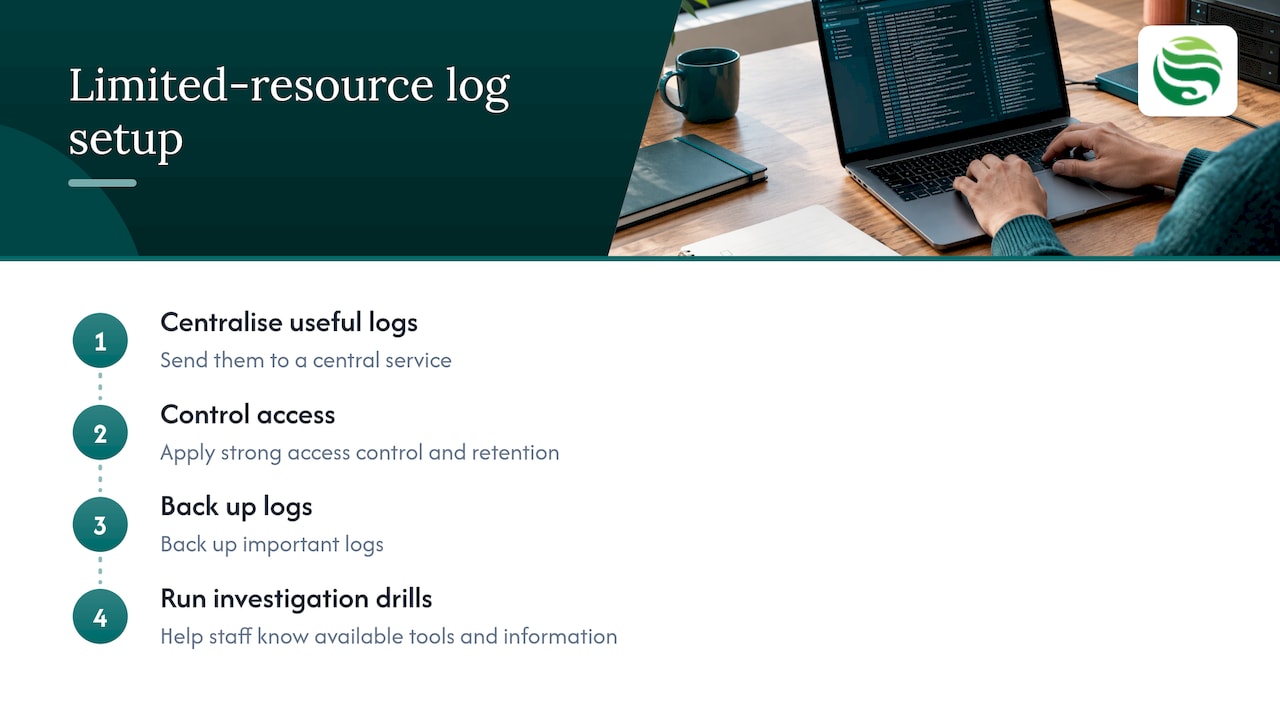
The NCSC’s approach for smaller teams is practical: send the useful logs to a central service, apply strong access control and a retention setting, back up important logs, and run regular investigation drills so staff know what information and tools they have.
In practice that means a short list of owners: someone accountable for the policy, someone who reviews alerts, and someone who responds. Our outsourced IT manager service gives you clear ownership without a full-time hire, and managed cyber security brings monitoring and specialist escalation together. Security by Default means it is part of how we support you, not an extra to bolt on. Our Advanced package is the place to see what is included, and if you need cover outside office hours, our packages page lists out of hours IT support.
Get log monitoring running in Aberdeen
If you want log monitoring for your small business without building a team to read it, talk to us. We have over 19 years of experience across 27 countries and support businesses across Aberdeen and Aberdeenshire. Start from our Managed IT Support page, or look at Cyber Risk Assessment and Incident Response.
FAQ
How long should a small business keep logs?
For security logs, the NCSC recommends at least six months, longer if budget allows. Logs containing personal data should be kept no longer than necessary, so set and document a period for each log type.
Do I need special software for log monitoring?
Not necessarily separate software for every system. Start with the logging already built into Microsoft 365, your endpoints and your firewall, then centralise the useful ones and set alerts for high-risk events.
Who should review the alerts?
Someone with the time and skill to act on them promptly. Many small businesses assign this to a managed provider, so monitoring is continuous and escalation is clear.
Can logs be changed by an attacker?
Yes, if they are poorly protected. NHS England’s guidance notes attackers can use internal logs to conceal activity, so restrict access and verify log integrity regularly.